

Reviewed · TOKYO
Unlimited WiFi Router – Haneda Airport (Tokyo) Pickup
Arriving in Tokyo with working internet makes the first hour far easier. This 4G LTE NINJA WiFi router lets you check maps, contact your hotel, translate signs, and book transport before you leave Haneda. Pick it up at Terminal 2 or Terminal 3, then turn it on and connect your group.
I like the free power bank, since a hotspot can drain its battery during a long day. I also like the simple airport handoff: show your reservation and passport, collect the pouch, and get online without finding a phone shop.
The main caution is the service limit hidden inside the word unlimited. High-speed data is capped at 3GB per day, and counter hours and locations differ by terminal. One set of instructions also says the router connects 10 devices, while the operating information says up to five at once, so confirm the current device limit when you collect it.
In This Review
- Key points at a glance
- Why Haneda WiFi matters on your first day
- Picking up the router at Terminal 3
- Terminal 2 pickup and the important time difference
- What comes in the WiFi pouch
- The meaning of unlimited, and the 3GB daily cap
- How many devices can connect?
- Returning the equipment at Haneda
- Connection quality across a Japan trip
- Staff, signs, and airport handoff
- Who gets the best value from $14.48?
- Should you book this Haneda WiFi rental?
- FAQ
- Where do I pick up the router at Haneda Airport?
- What are the Terminal 3 pickup hours?
- What are the Terminal 2 pickup hours?
- Can I pick up the router outside airport security?
- How many devices can connect to the router?
- How long can I rent the router?
- Is the data truly unlimited?
- What accessories are included?
- Where do I return the router at Terminal 3?
- Can I cancel for a full refund?
Key points at a glance

- Pick up at Haneda from 6:00am or 6:30am: Terminal 2 and Terminal 3 have different counter hours.
- Connect your group: The booking details say up to 10 devices, while the service notes say up to 5 at once.
- Use it across Japan for up to 90 days: The available booking period itself is generally 3 to 30 days.
- High-speed data has a daily cap: You receive unlimited use, but only the first 3GB each day is high speed.
- A power bank is included: This helps keep the router running through a full day of sightseeing.
- Return it before leaving Haneda: Terminal 2 uses the same counter area, while Terminal 3 directs late returns to a separate drop box.
Why Haneda WiFi matters on your first day
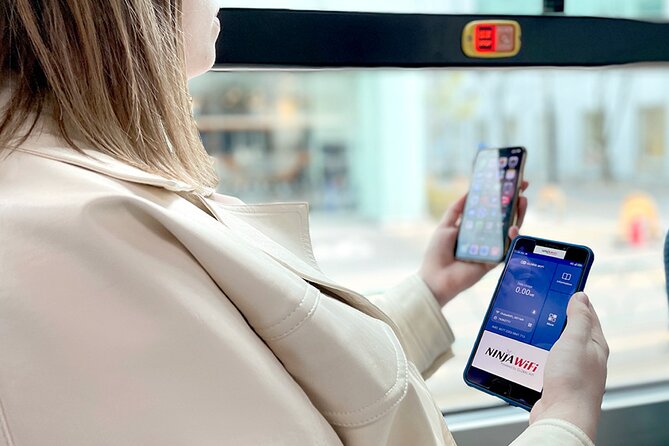
Tokyo is easy to enjoy once you can navigate it, but the arrival process can be tiring. You may need Google Maps for the route to your hotel, a translation app for a train machine, or a message to someone waiting for you. A rented hotspot gives you those tools before you have a Japanese SIM card or a local data plan.
The router also helps if you are traveling as a small group. One device can serve phones, tablets, and possibly a laptop, so you do not have to arrange separate data plans for everyone. That is especially useful for families, couples, and small work groups who want to stay connected without swapping SIM cards.
The price begins at $14.48 per person, though the total cost can vary with the rental length. That price is easiest to justify when several people share one router. For one person carrying a phone with an affordable international data plan, the value may be less clear.
You also need to remember that this is a rental, not a permanent mobile service. If you forget to pick it up, no refund is provided. If your flight is delayed, the counter hours matter, so check your arrival terminal and arrival time before booking.
If you're still narrowing it down, here are other tours in Tokyo we've reviewed.


Picking up the router at Terminal 3
Terminal 3 is the most clearly described pickup point. Go to the 2F Arrivals Lobby and look for the Global WiFi x NINJA WiFi counter. Pickup and regular return service is listed from 6:30am to 11:45pm.
The counter is outside airport security. That is useful because you can reach it directly from the arrivals area without passing through another screening point. Look for the service sign rather than relying only on a map pin. The counter can be hard to spot from the main arrival area, and the printed instructions have caused confusion for some customers.
Have your reservation details and passport ready. The handoff has usually been quick, but one customer needed more than 15 minutes while staff searched for the booking, even with a printed email. A paper copy is sensible if your phone has no connection yet, though you should still allow extra time before boarding a train or airport bus.
You receive the router, USB cable, adapter, WiFi pouch, and power bank. Ask for the operating instructions at the counter. This is also the right moment to confirm how many devices can connect and how to check the battery level and data use.
Terminal 2 pickup and the important time difference
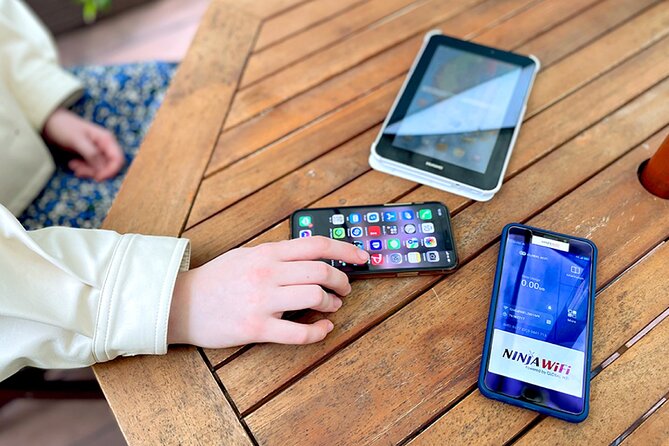
At Terminal 2, use the 2F J WiFi & Mobile x Global WiFi counter. The listed hours are 6:00am to 11:00pm, so Terminal 2 opens earlier but closes earlier than Terminal 3.
This difference matters if you arrive late at night. Do not assume that Terminal 3 hours apply to Terminal 2, or that a counter in one terminal can serve you in the other. Your booking confirmation should be checked against your actual arrival terminal.
Terminal 2 uses the same counter for pickup, return, and the return box. The counter is outside security, just as it is at Terminal 3. If you land close to closing time, move directly to the counter before stopping for food, cash, or train tickets.
The service is designed for most people and is near public transportation. That makes it practical for anyone continuing into Tokyo by train or airport connection. You will still need your own transport ticket, but the router can help you find the correct platform and follow directions once you are moving.
What comes in the WiFi pouch

The package is more useful than a bare hotspot. You receive:
- The 4G LTE WiFi router
- Unlimited-use rental service
- USB charging cable
- Adapter
- WiFi pouch
- Power bank
The power bank is a real advantage. A router can run for much of the day, and one customer found the battery lasted all day without needing a charge. Still, battery life depends on use, signal conditions, and how many devices are connected. Carrying the included power bank is wise, especially on a long sightseeing day.
The pouch also helps keep the small accessories together. Put everything back in it at night so the cable and adapter do not vanish into your luggage. You are responsible for returning the rental equipment, so treat the pouch as part of the kit rather than disposable packaging.
The router provides a 4G LTE connection. That is enough for ordinary navigation, messages, social media, and video use. It can also handle YouTube, according to the service description, but the 3GB high-speed daily limit becomes important if you stream heavily.
The meaning of unlimited, and the 3GB daily cap
The most important technical detail is easy to miss: high-speed data is limited to 3GB per day. After that amount, you still have access to the internet, but the connection may be slower.
For normal sightseeing, 3GB can be plenty. Maps, train searches, email, translation, and occasional photos use far less data than constant video streaming. If you are sharing the router among several people, though, the group can reach the limit faster.
I would avoid using this as a full replacement for hotel WiFi if you plan to watch hours of video, upload large files, or work with cloud services all day. Download large entertainment files before leaving home or use hotel internet when available. You can then save the router for directions, reservations, messages, and quick searches.
The word unlimited describes continued access, not unlimited high-speed performance. If you understand that before booking, the service is easier to judge fairly.





How many devices can connect?

The main booking information says the router can connect up to 10 devices. The practical service description says it can connect up to five devices at once. That conflict should not be ignored.
For a couple, five devices is already generous. A family with several phones and tablets may want to ask at pickup whether the actual unit supports five or 10 simultaneous connections. Device count also affects battery life and daily data use, so connecting every device in your luggage is not always the best idea.
Use the router for the devices that need mobile internet most. Phones are the priority. A tablet or laptop can connect when needed, then disconnect when you are walking around. This keeps the network less crowded and helps conserve the power bank.
The service can be shared among up to 10 booking participants, and the activity has a maximum of 10 people. That maximum appears to describe the size of the booking rather than a guided tour group. You are collecting equipment, not joining a sightseeing outing.
Returning the equipment at Haneda

Return instructions are different by terminal, so save them before leaving Japan.
At Terminal 2, return the router at the J WiFi & Mobile x Global WiFi counter on the 2F. The same counter also handles pickup and the return box, with listed hours from 6:00am to 11:00pm.
At Terminal 3, regular return is handled at the Global WiFi x NINJA WiFi counter in the 2F Arrivals Lobby until 11:45pm. For returns from 11:45pm to 6:30am, use the JAL ABC return box on the 2F Arrivals Lobby level.
The return box detail matters if you have an early flight. Do not leave the router in an ordinary airport mailbox or at an information desk. Use the named return location and put the router, cable, adapter, and power bank back in the pouch.
There has been an incorrect map for the Terminal 3 drop-off point. The practical tip is simple: return the device at the same general counter location where you collected it, unless you are returning during the late-night hours when the JAL ABC box applies. Keep your receipt or any return confirmation if one is provided.
Connection quality across a Japan trip

A working mobile connection is most valuable when you are moving. You can use Google Maps for streets and train stations, check Facebook or Instagram, watch YouTube, and stay in touch with people at home.
The service is intended for use anywhere in Japan, not only in Tokyo. That makes it useful for a multi-city itinerary, though connection quality can vary by location and local network conditions. The supplied information does not promise the same speed in every part of the country.
The strongest praise for this service centers on quick activation and dependable connection. One customer used it at Tokyo Disney parks and found the connection excellent. Another found the service reliable after showing a reservation form and passport, and appreciated receiving instructions during pickup.
Those details point to the best use case: you land, collect the router, switch it on, and begin navigating without a long setup. That is less glamorous than a sightseeing activity, but it can prevent plenty of small travel headaches.
Staff, signs, and airport handoff
The counter process is not always equally smooth. English ability may be limited, and one customer waited while staff located the reservation. Another found the business sign difficult to see from the arrival area.
You can reduce the chance of delay by bringing your passport and a printed reservation email. Save a screenshot too, since your phone may not yet be online. Arrive with the counter name written down: Global WiFi x NINJA WiFi for Terminal 3 or J WiFi & Mobile x Global WiFi for Terminal 2.
There was also a poor experience involving a delayed flight, an upset driver, and repeated messages about extra charges. The driver reference does not fit the normal airport router handoff, but it is a useful reminder to read any booking messages carefully and clarify extra-fee terms before your trip. The stated cancellation policy allows a full refund when you cancel at least 24 hours before the local start time. No refund is provided for failing to collect the router.
Who gets the best value from $14.48?
The starting price of $14.48 per person is attractive when you divide the cost among several people and use the device for a number of days. A couple can share one connection, while a family can avoid buying separate data plans for every phone.
The value is also practical for visitors who want a ready-to-use option. You do not need to research Japanese SIM cards, check whether your phone is unlocked, or wait for a local mobile shop. The pickup happens at the airport, where your trip begins.
The price is less compelling for a solo visitor who already has inexpensive international roaming. It is also less appealing if you only need internet at the hotel and plan to spend most of your time offline. The daily 3GB high-speed limit should be part of your calculation if you need heavy data use.
Rental length ranges from about three to 30 days in the booking details, while the equipment can last up to 90 days. That 90-day statement describes the maximum service period, not necessarily the rental option you will select, so use the exact dates shown when booking.
Should you book this Haneda WiFi rental?
I would book it if you want internet the moment you land, need one connection for a small group, and value the included power bank. The quick setup, useful airport pickup, and generally reliable connection make it a practical travel tool rather than an unnecessary gadget.
I would pause if you need constant high-speed streaming, have a solo phone plan that already works in Japan, or arrive outside the counter hours. I would also confirm the real device limit before relying on the stated 10-device capacity.
Bring your passport, reservation details, and a little patience for finding the counter. Save the return instructions offline, especially if you fly early from Terminal 3. For most ordinary sightseeing use, this router can keep your group connected without adding much work to your arrival day.
FAQ
Where do I pick up the router at Haneda Airport?
At Terminal 3, pick it up at the 2F Arrivals Lobby Global WiFi x NINJA WiFi counter. At Terminal 2, use the 2F J WiFi & Mobile x Global WiFi counter.
What are the Terminal 3 pickup hours?
Terminal 3 pickup is available from 6:30am to 11:45pm.
What are the Terminal 2 pickup hours?
Terminal 2 pickup is available from 6:00am to 11:00pm.
Can I pick up the router outside airport security?
Yes. The pickup and return counters are located outside airport security.
How many devices can connect to the router?
The booking details state that up to 10 devices can connect. The service description states up to five devices at once, so confirm the limit for your specific router at pickup.
How long can I rent the router?
The available booking duration is approximately 3 to 30 days. The service information also says the device can last for up to 90 days.
Is the data truly unlimited?
You receive unlimited use, but high-speed data is limited to 3GB per day.
What accessories are included?
The package includes the router, USB cable, adapter, WiFi pouch, and power bank.
Where do I return the router at Terminal 3?
Return it at the Global WiFi x NINJA WiFi counter on the 2F Arrivals Lobby level during regular hours. From 11:45pm to 6:30am, use the JAL ABC return box on the same level.
Can I cancel for a full refund?
Yes, if you cancel at least 24 hours before the experience start time in the local time zone. Cancellations made less than 24 hours in advance are not refunded, and failing to collect the router does not qualify for a refund.
More tours in Tokyo we've reviewed











Tokyo, compared.
 ★ 5.0Mt Fuji and Hakone 1-Day Bus Tour Return by Bullet TrainFrom $163
 ★ 5.01-Day Tokyo Bus TourFrom $129
 ★ 4.6Tokyo: teamLab Planets TOKYO Digital Art Museum Entry TicketFrom $251 day
 ★ 4.0Mt Fuji & Hakone Cruise, Drum Show Bullet Train 1 Day from TokyoFrom $149
 ★ 5.0Tokyo: Shinjuku Food Tour (13 Dishes at 4 Local Eateries)From $86
 ★ 4.4Tokyo Mt Fuji 5th St & Hakone Cruise Bus Tour w/Bullet TrainFrom $15410 hours